
Enterprise AI Fine-Tuning: From Dataset to Production Model
A quick guide on turning enterprise datasets into production-ready AI models with Prem Studio. Learn how fine-tuning, experiments, evaluations, and deployment come together to help teams build high-performing, domain-specific models without heavy ML complexity.
In our previous blog, we explored the foundation of every successful AI project: the datasets. We discussed how Prem Studio helps you build, grow, and improve high-quality datasets, even if you are starting from nothing. Now that you have the right data, the next crucial step is transforming it into a model that truly works for your business.
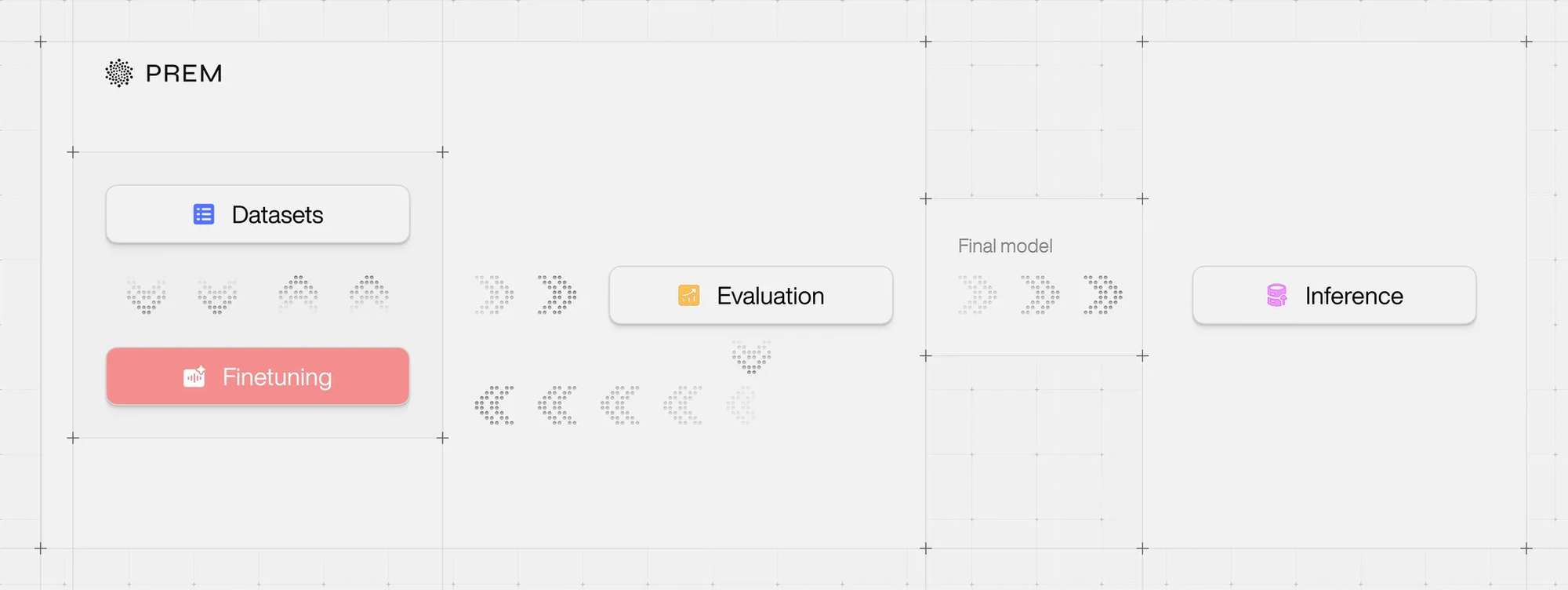
This second piece in our Prem Studio blog series examines the strategic approach to fine-tuning for enterprise AI deployments. While large, general-purpose models deliver impressive capabilities, they often underperform when handling the specific tasks and domain knowledge critical to your organization. Fine-tuning bridges that gap, enabling you to develop models that perform with precision, reduce operational costs, and integrate seamlessly into existing workflows.
In this article, you'll discover how Prem Studio supports every stage of the fine-tuning process, from initial training and experiment selection to production deployment at scale, whether in a fully managed environment or self-hosted on your infrastructure. We'll also explore why fine-tuning smaller models can deliver significant business value through improved performance and substantial cost reduction.
If you're ready to move beyond generic AI solutions and build models tailored to your organization's needs, let's begin.
From Dataset to Production-Ready Model
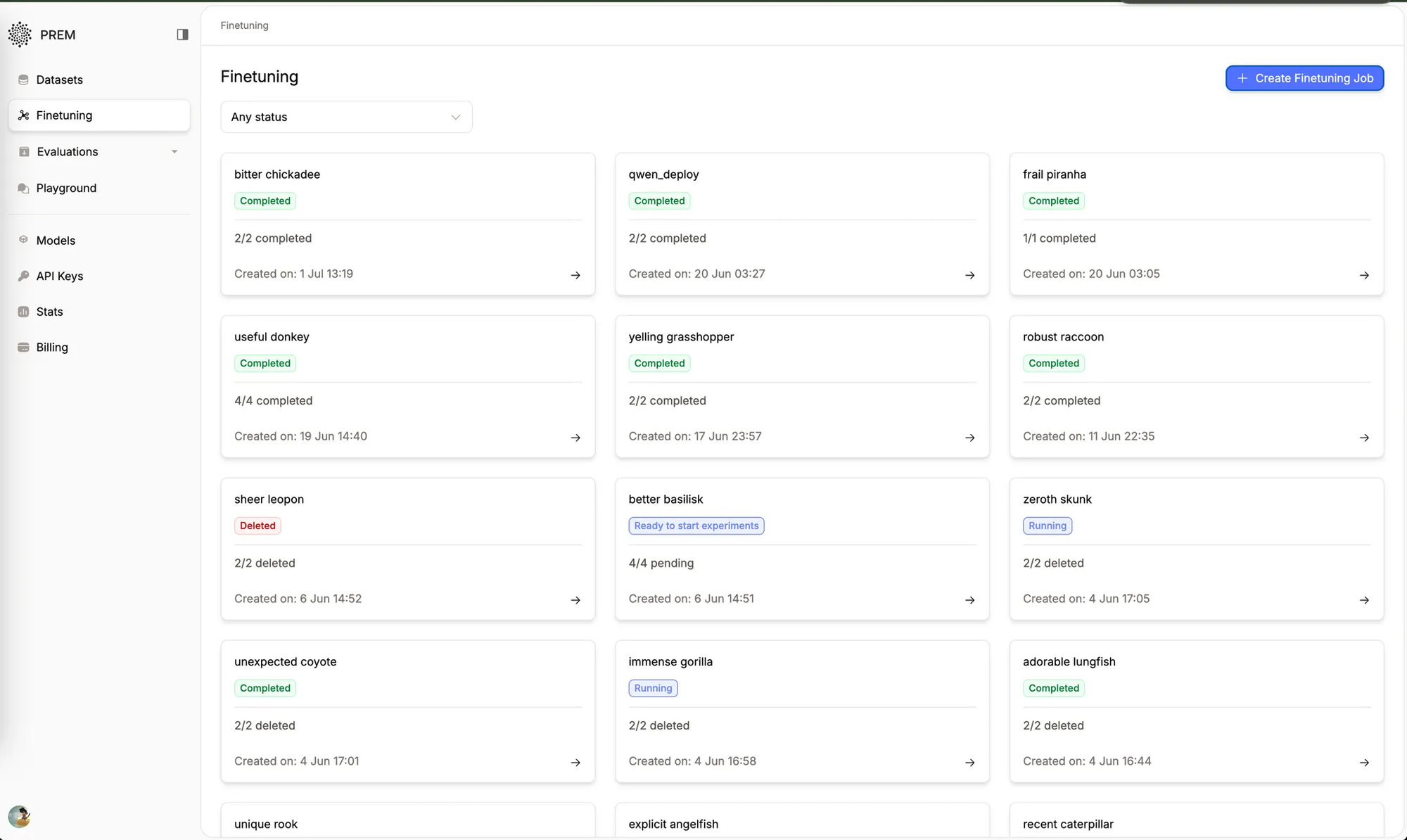
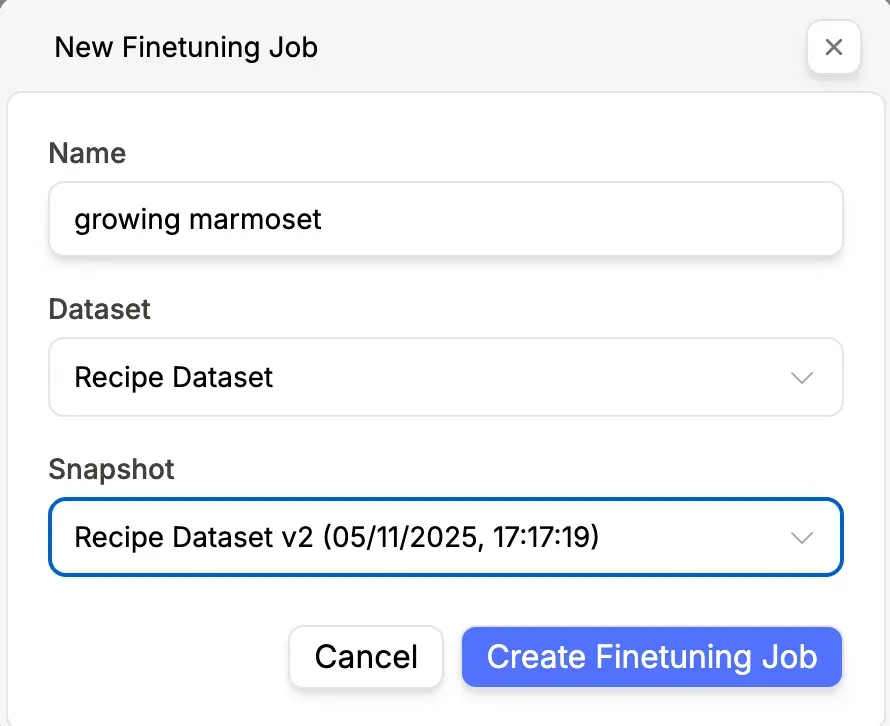
The fine-tuning journey begins with your prepared datasets in Prem's datasets tab. Once your data is ready, initiating the process is straightforward. Navigate to the fine-tuning page and click 'Create Fine-tuning Job.' This streamlined workflow removes technical complexity, allowing your teams to focus on strategic AI implementation rather than infrastructure management.
The platform's interface guides you through essential configuration options, including dataset selection, model architecture, and snapshot specification. This systematic approach ensures consistency across your organization's AI initiatives while maintaining the flexibility needed for diverse use cases.
Intelligent Data Analysis and Model Evaluation
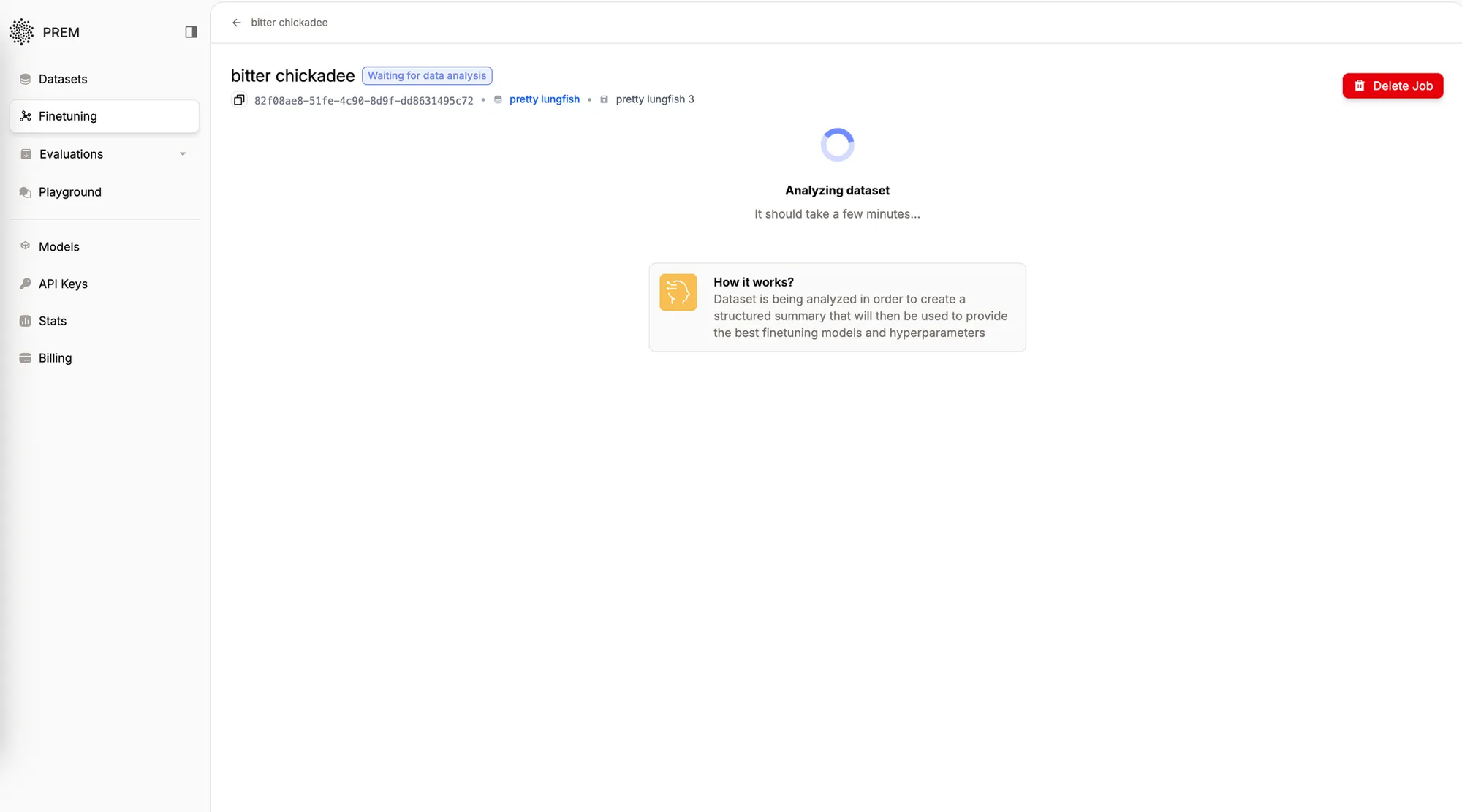
After configuring your dataset parameters, Prem's intelligence engine conducts comprehensive data analysis. This analysis forms the foundation of the platform's recommendation system, examining your dataset to understand task requirements, identify edge cases, and establish success criteria.
The platform analyzes each data point against available base models, ensuring recommendations align with your specific needs. This intelligent matching process considers multiple factors, including task complexity, data characteristics, and performance requirements, to suggest optimal foundation models for your fine-tuning project.
Beyond the platform itself, intelligent data analysis and rigorous model evaluation are critical for building reliable, high-performing AI systems. Data analysis uncovers patterns and informs strategy, while model evaluation ensures accuracy, reliability, and efficiency. Together, these processes support effective LLM evaluation, enhance enterprise AI reliability, and enable organizations to make confident, data-driven decisions.
Comprehensive Experimentation Framework
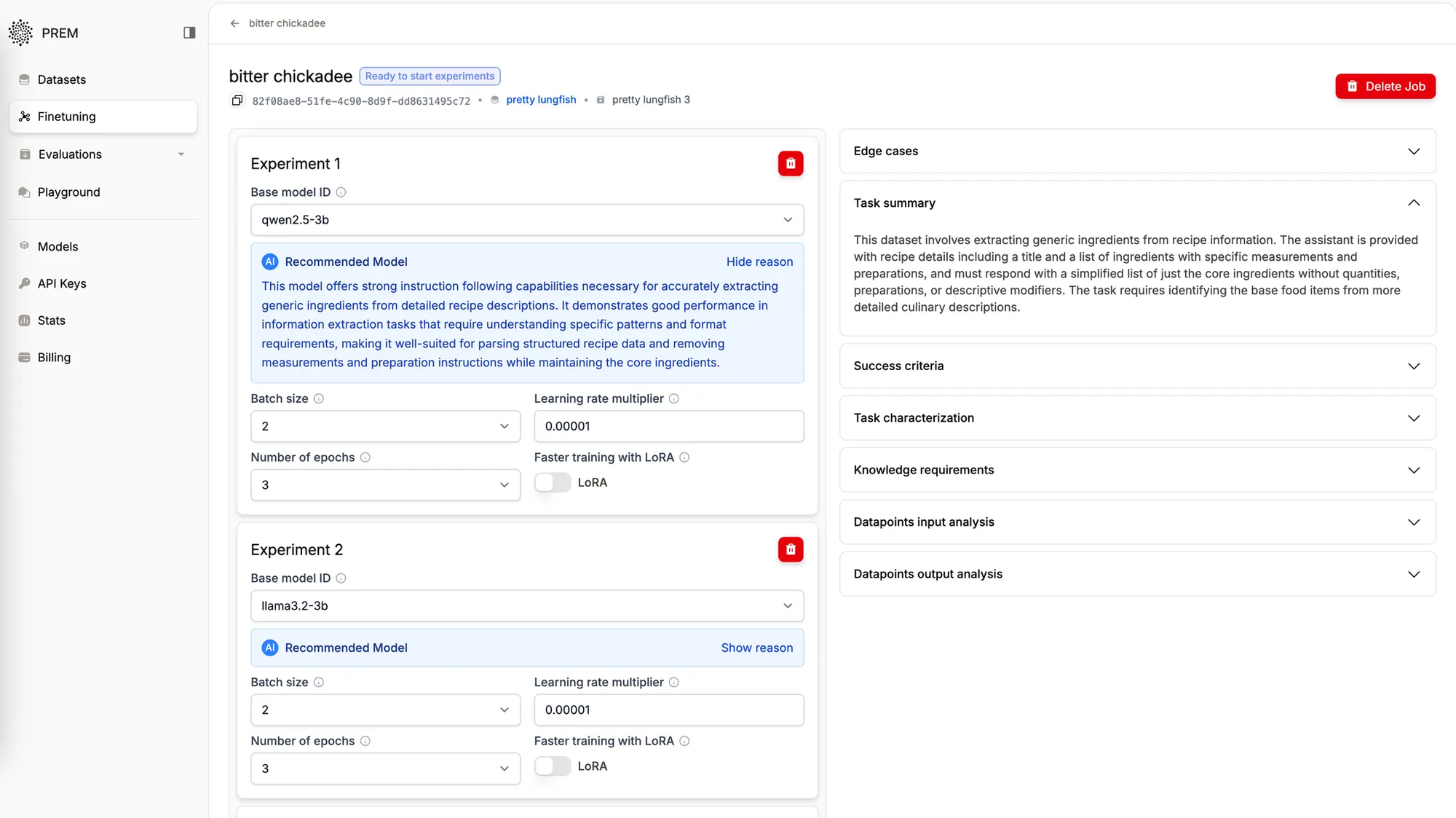
Prem enables up to four experiments to run concurrently within a single fine-tuning job. Each experiment employs a different combination of base model, batch size, epoch count, and learning rate. This multi-experiment approach allows enterprises to explore various optimization strategies without managing separate projects or infrastructure.
The platform supports both LoRA (Low-Rank Adaptation) fine-tuning and full fine-tuning. LoRA is very helpful for teams with many models or limited resources. It makes smaller, efficient models that still perform well.Automated Parameter Optimization
Beyond model selection, Prem's intelligence system delivers data-driven recommendations for critical training parameters:
Batch Size Optimization: Tailored to your dataset characteristics and computational requirements, ensuring efficient resource utilization without compromising training quality.
Epoch Configuration: Balanced to prevent overfitting while ensuring adequate training cycles, maximizing model learning without diminishing returns.
Learning Rate Adjustment: Optimized for stable convergence and peak performance, reducing training time while improving final model quality.
These automated recommendations eliminate traditional hyperparameter tuning complexity, enabling teams without specialized machine learning expertise to achieve professional-grade results.
Monitoring, Evaluation, and Reliability
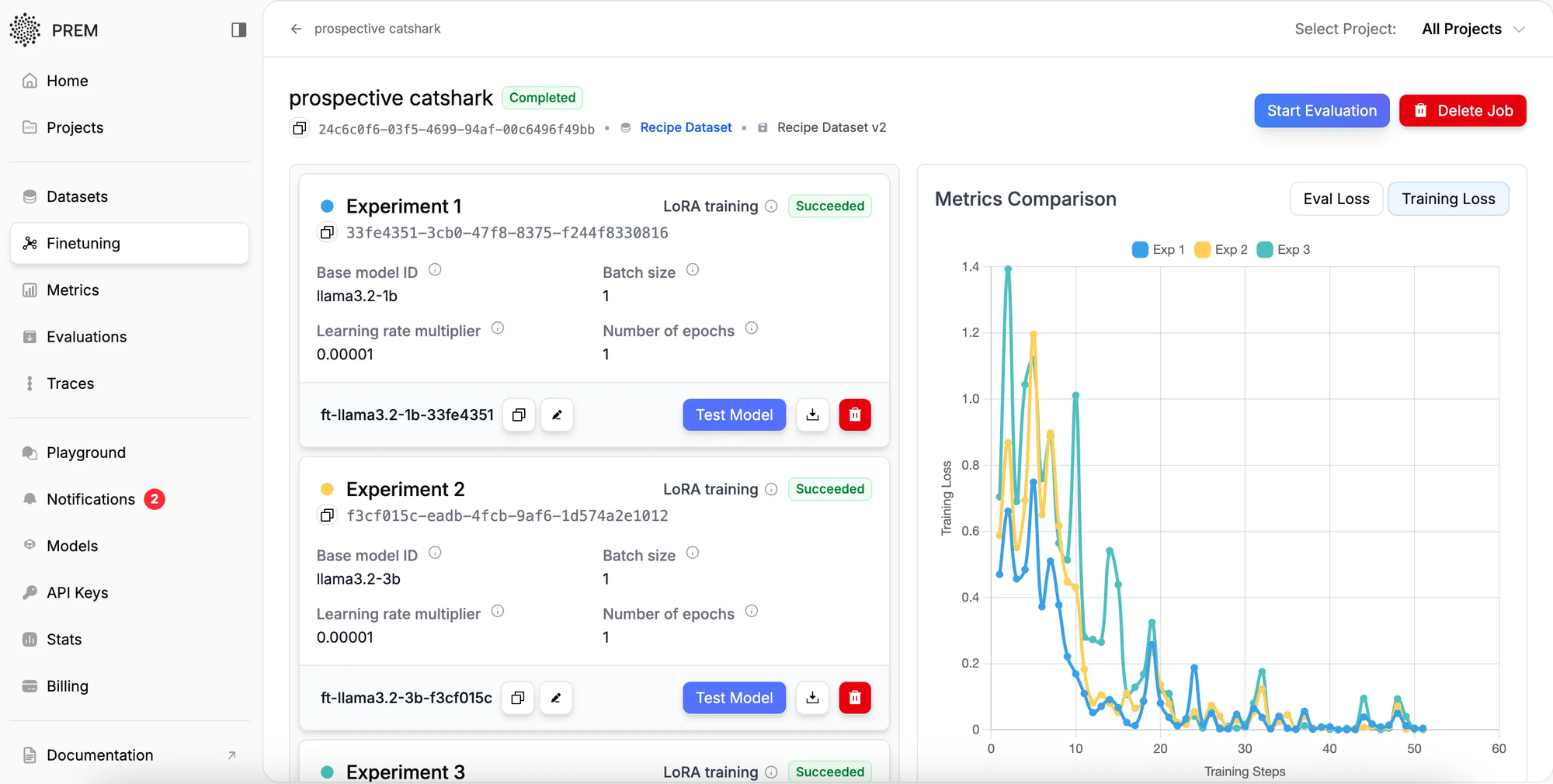
Throughout the fine-tuning process, Prem provides comprehensive monitoring capabilities. The platform tracks training loss in real-time and generates detailed loss curves upon completion, offering clear visibility into model performance and training progression.
This transparency enables data science teams to select optimal models and identify potential issues early in the training cycle. The comprehensive logging and visualization tools support both technical teams and business stakeholders in understanding model development progress and making informed decisions.
Deployment and Model Selection
Upon completion of fine-tuning experiments, Prem automatically deploys successful models at scale, making them immediately available for inference. The platform presents performance comparisons across all experiments, enabling evidence-based model selection through quantitative metrics and empirical testing.
This automated deployment capability significantly reduces time-to-production, allowing enterprises to rapidly iterate and deploy AI solutions. The platform's built-in comparison tools ensure optimal model selection based on actual performance rather than theoretical projections.
Moving Forward with Enterprise AI
Prem's automated fine-tuning platform represents a significant advancement in enterprise AI accessibility. Through intelligent automation and robust testing frameworks, the platform enables organizations to develop custom AI models without requiring extensive machine learning expertise.
The platform's end-to-end automation, spanning initial data analysis through model deployment, positions enterprises to rapidly adapt AI capabilities to evolving business requirements. This agility, combined with the platform's comprehensive experimentation framework, ensures organizations can maintain competitive advantage through precisely calibrated AI solutions.
For businesses seeking practical, cost-effective AI implementation, Prem's fine-tuning platform offers a strategic approach to creating custom solutions aligned with organizational needs.
Start evaluating your models today with Prem Studio.
Learn more about Prem Fine-tuning.
Frequently Asked Questions
- What is fine-tuning and why is it essential for enterprise AI?
Fine-tuning customizes pre-trained AI models to your specific business requirements and proprietary data. While general-purpose models offer broad capabilities, fine-tuning enables higher accuracy, superior domain-specific performance, and substantial cost savings through smaller, more efficient models tailored to your exact use cases. - How do I initiate fine-tuning on PremAI?
Navigate to the fine-tuning page and select 'Create Fine-tuning Job.' The platform guides you through dataset selection, model configuration, and parameter settings with an intuitive interface that removes technical complexity while maintaining professional-grade capabilities. - What fine-tuning approaches does PremAI support?
PremAI supports both LoRA (Low-Rank Adaptation) for efficient, resource-optimized customization and full fine-tuning for maximum model adaptation. LoRA proves particularly valuable for organizations managing multiple models or operating with infrastructure constraints. - How does PremAI recommend optimal models and parameters?PremAI's intelligence engine automatically analyzes your dataset to understand task requirements, identify edge cases, and establish success criteria. It then recommends optimal base models, batch sizes, epoch counts, and learning rates based on your specific data characteristics and performance objectives.
- Can I run multiple experiments simultaneously?
Yes. PremAI supports up to four concurrent experiments within a single fine-tuning job, each with different combinations of base models and hyperparameters. This enables efficient exploration of various optimization strategies without managing separate projects or infrastructure. - How do I monitor training progress and select the optimal model?
PremAI provides real-time training loss tracking and detailed visualization tools throughout the fine-tuning process. Upon completion, the platform automatically deploys successful models and presents performance comparisons across all experiments, enabling data-driven model selection. - What deployment options are available after fine-tuning?
Upon completion, PremAI automatically deploys fine-tuned models at scale for immediate inference. You can deploy in a fully managed environment or self-host on your infrastructure, with built-in comparison tools ensuring optimal model selection based on actual performance metrics.
Early Access Availability
We are opening early access to Prem Studio today. Teams focused on building reliable, production-grade AI systems can apply for access and begin development.