
Enterprise Dataset Automation for Model Customization
Learn how Prem Studio automates dataset creation with synthetic data generation, augmentation, and versioning, giving enterprises a faster, scalable way to build domain-specific AI models.
The most sophisticated AI models are only as effective as the data they're trained on. For enterprises deploying fine-tuned models in production environments, dataset quality directly impacts business outcomes. Yet many organizations face a critical bottleneck: creating domain-specific training data that meets both technical requirements and operational constraints.
This article examines how Prem Studio's Datasets capability addresses these challenges through synthetic data generation and automated augmentation. We'll look at practical approaches for building custom datasets that improve model performance while reducing the engineering overhead typically associated with data preparation.
Whether starting from existing documentation or building from scratch, Prem Studio provides infrastructure for transforming raw content into training-ready datasets at enterprise scale.
Understanding Dataset Structure
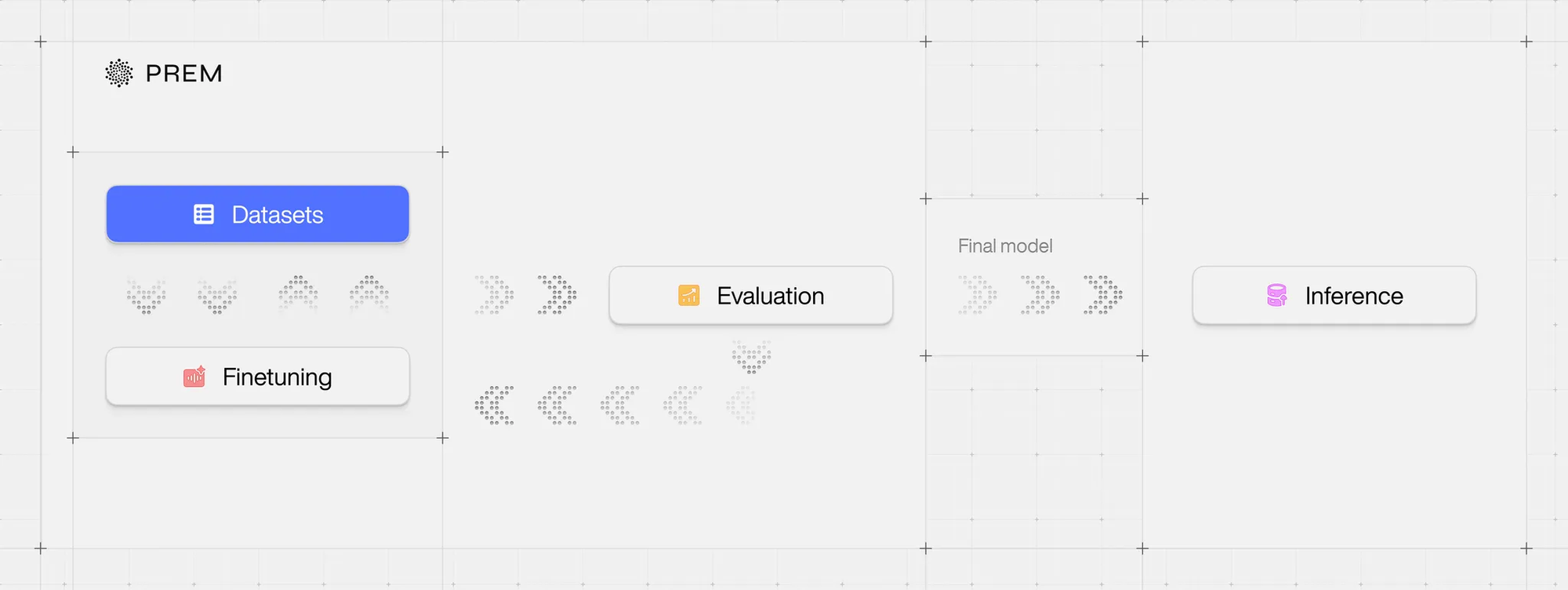
The Datasets section in Prem Studio supports both manual uploads and automated generation pipelines. Organizations can prepare data for LLM evaluation or SLM fine-tuning by defining datasets, splitting them into training and validation sets, and creating versioned snapshots for reproducibility.
Each dataset follows a standardized structure with datapoints containing three message components: a system prompt providing instructions or context, a user message representing input, and an assistant message with the expected output. Detailed specifications are available in the official dataset structure documentation.
Success in downstream tasks like evaluation or fine-tuning depends on format compliance and dataset size. Simple use cases may require a few hundred datapoints, while complex applications often need thousands.
Two common challenges arise during implementation:
- Data must conform to the expected JSONL schema
- Sufficient datapoints must be available to support the intended task
Prem Studio addresses both issues through advanced tooling, particularly valuable for organizations with limited existing training data. The following sections detail these capabilities: synthetic data generation and data augmentation.
Synthetic Data Generation
Organizations often possess valuable domain knowledge in documents but lack structured training data. Prem Studio's Synthetic Data Generation Pipeline converts these textual assets into formatted datasets.
When creating a new dataset, two primary options are available:
- Upload a JSONL file directly
- Generate synthetic data from textual files (PDF, DOCX, HTML, and others)
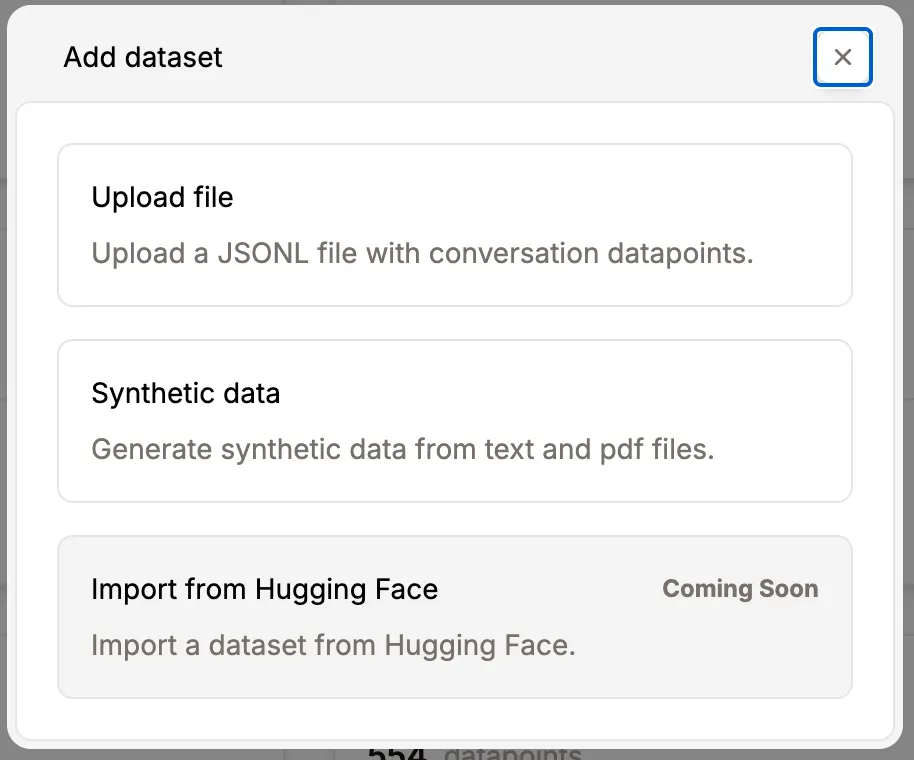
Synthetic generation proves particularly valuable for domain-specific content outside typical LLM training data. Traditional approaches rely on RAG (Retrieval-Augmented Generation) pipelines that retrieve and inject relevant excerpts into the model's context during inference.
Synthetic data generation offers an alternative by converting static documentation into structured QA datasets. This enables fine-tuning smaller models with embedded domain knowledge, eliminating retrieval overhead during inference.
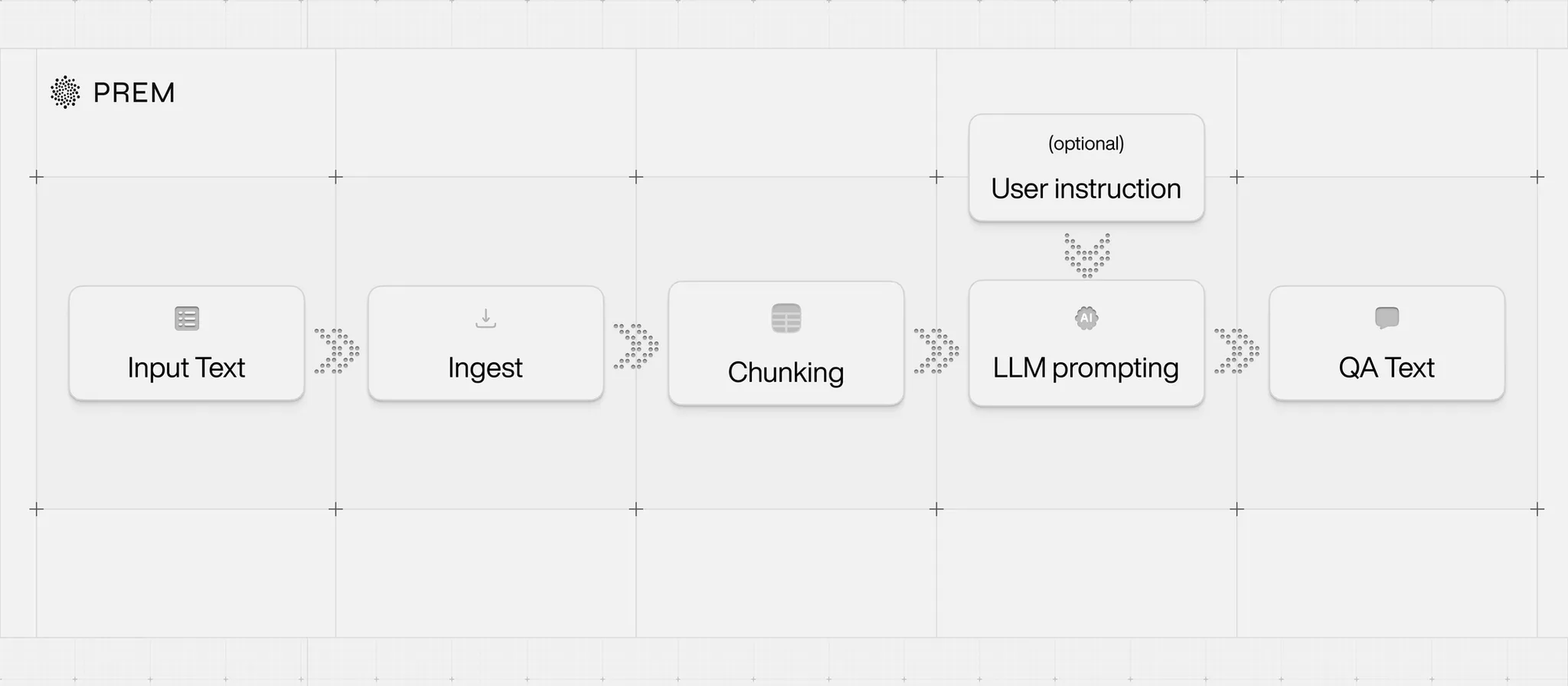
The automated pipeline handles:
- Intelligent document ingestion and chunking
- LLM-based generation of user queries and assistant responses using document chunks as context
- Output formatting in standard structure (system, user, assistant) ready for training or evaluation
This approach becomes cost-effective at scale, particularly for applications with high query volumes. Embedding knowledge directly in a fine-tuned SLM reduces both inference costs and latency compared to repeated LLM API calls with context injection.
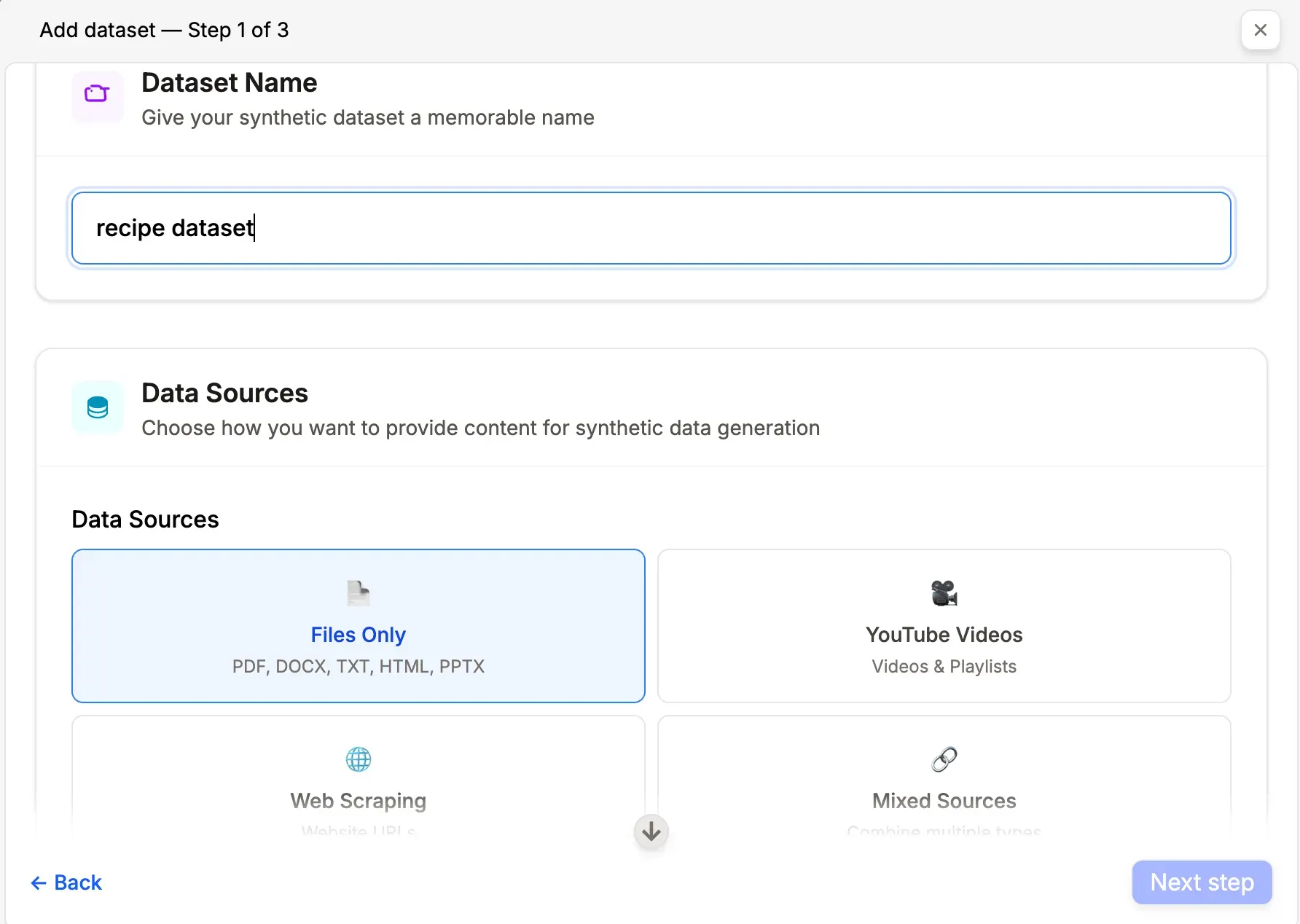
The interface provides several configuration options:
Source Selection
- Upload files: PDF, DOC, DOCX, TXT, HTML, PPT
- Add YouTube videos or playlists as source material
- Provide website URLs for automatic content extraction
- Backend handles preprocessing including format normalization, parsing, and chunking
- Set target datapoint count with system-calculated minimums based on content volume and balanced coverage across documents
When Synthetic Data Generation Makes Sense
- No existing data in JSONL format
- Coherent corpus of domain-specific documents available (legal, medical, financial)
- Objective to fine-tune an SLM for QA or summarization based on defined document sets
When Alternative Approaches Are More Appropriate
- Structured dataset already exists in JSONL format
- Document set spans heterogeneous, unrelated domains
- No model fine-tuning planned
- Use case involves sporadic, ad-hoc document querying better suited to RAG systems
Data Augmentation
Data augmentation, also called data enrichment, helps organizations scale existing datasets efficiently. This capability addresses a common scenario: teams have initial training data but insufficient volume for effective fine-tuning or evaluation.
Unlike synthetic generation starting from raw documents, augmentation builds directly on structured data. The system automatically expands datasets by generating additional user-assistant message pairs that preserve the style, structure, and intent of original datapoints while introducing controlled variation for improved generalization and coverage.
Requirements and Process
Augmentation requires an existing dataset with at least 20 uncategorized datapoints. These seed examples establish stylistic patterns and content structure. The augmentation engine then extrapolates high-quality variants from these seeds.
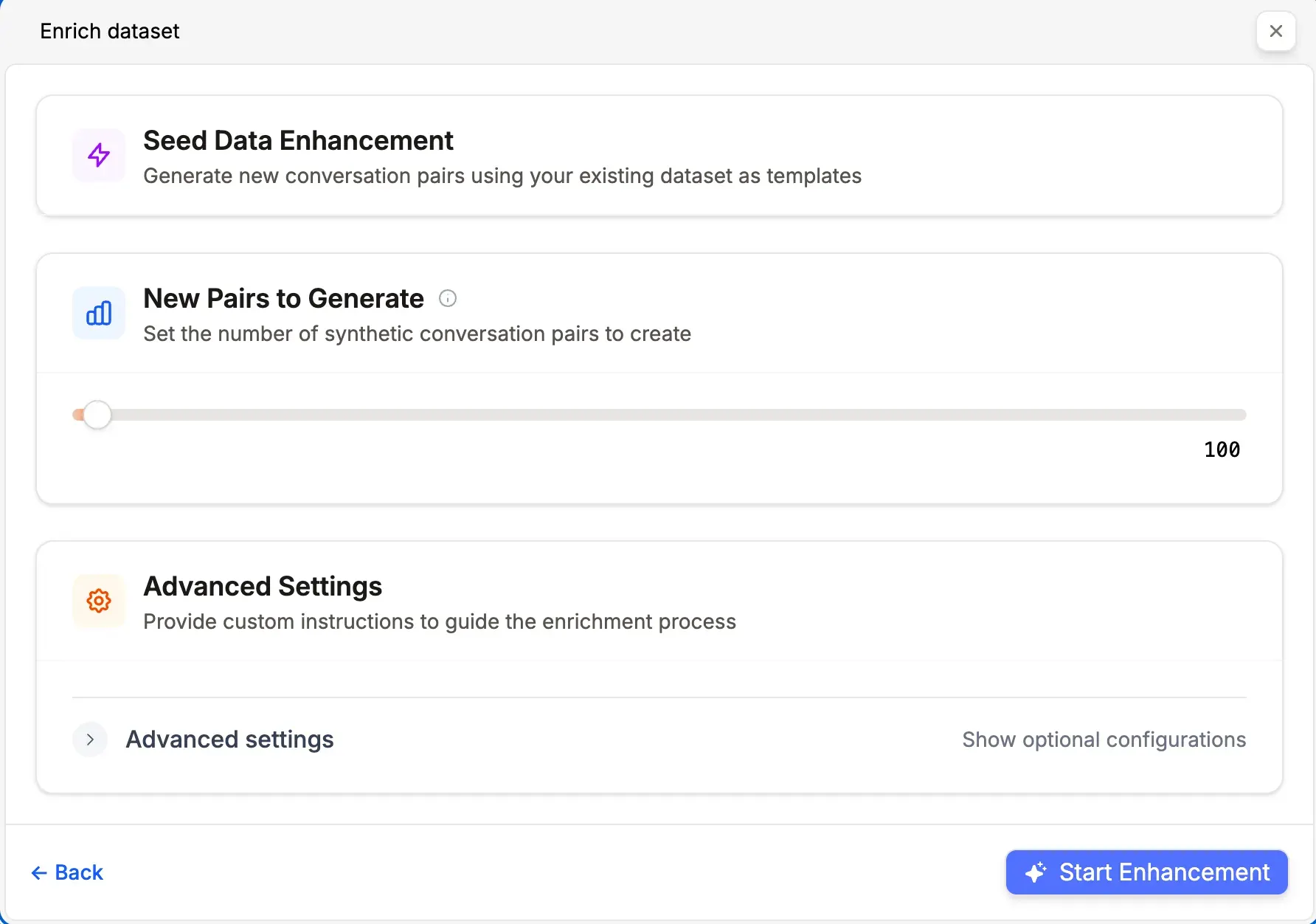
💡 Define a validation set before augmentation for more robust and unbiased evaluation.
Prem Studio accepts multiple input sources for flexible dataset creation:
- Document Files: PDF, DOCX, TXT, HTML, PPT, and others are parsed and transformed into structured, training-ready formats
- YouTube Videos and Playlists: Video content is transcribed and converted into question-answer pairs
- Website URLs: Automatic scraping and extraction of textual content from any provided URL
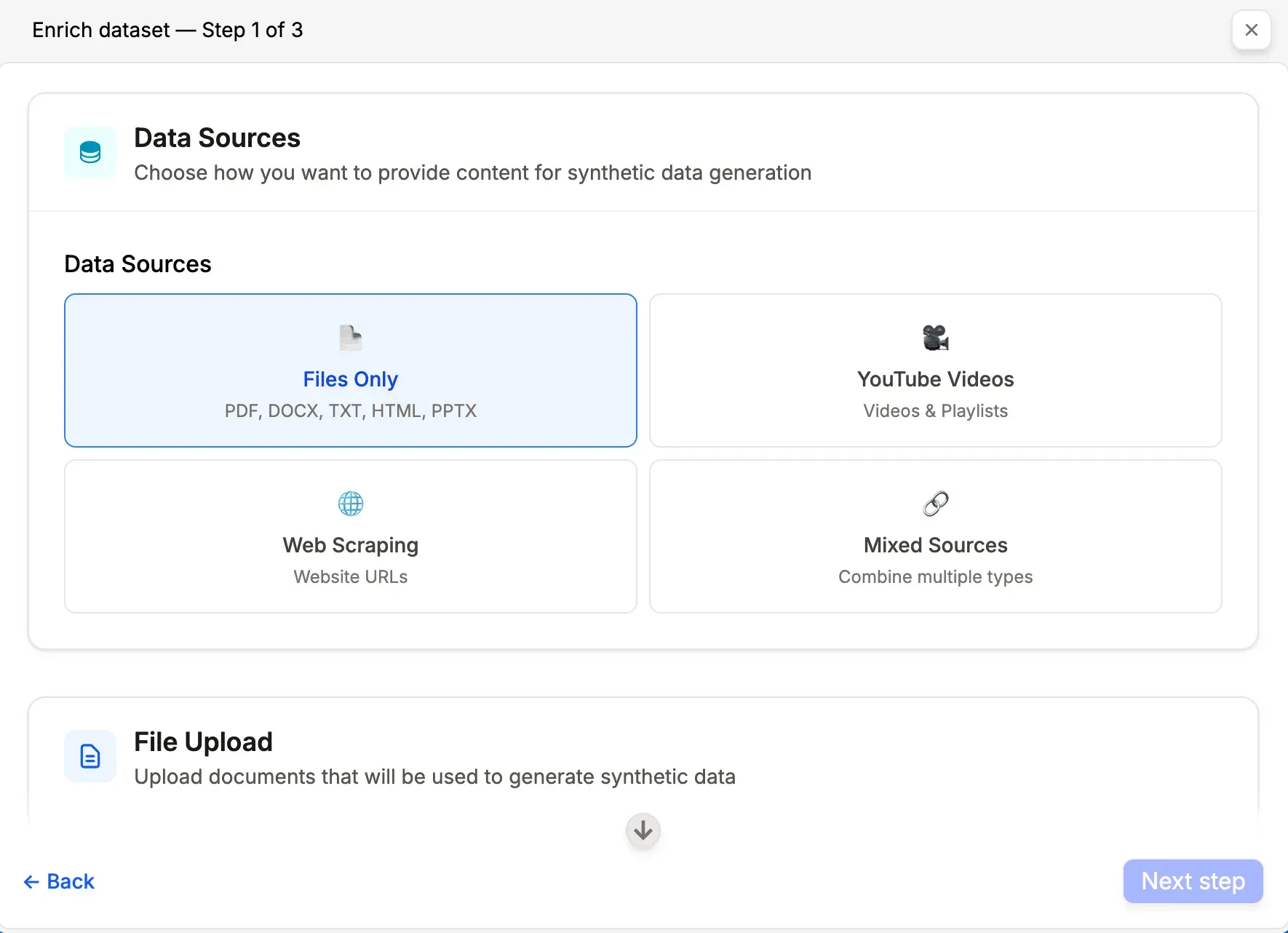
This multi-source capability enables building domain-specific datasets regardless of content format. Documents, videos, and web content are unified into a consistent structure ready for fine-tuning or evaluation.
The augmentation process runs automatically without manual intervention or prompt engineering expertise. Completion time ranges from minutes to several hours depending on datapoint volume and seed example complexity.
Once finished, augmented datapoints integrate seamlessly into the dataset for immediate use in training or further refinement.
When Data Augmentation Applies
- Structured dataset exists but volume is insufficient for training or evaluation
- Preservation of existing task format, prompt structure, and tone is required
- Dataset expansion is needed without manual creation of additional inputs
- Domain-aligned variation (paraphrased queries, reformulated answers) while maintaining semantic integrity
When Data Augmentation Is Not The Right Tool
- No initial dataset is available (use Synthetic Data Generation instead)
- Dataset contains fewer than 20 datapoints (additional collection required first)
- Fundamentally new task types or formats not represented in original data are needed
The augmentation engine abstracts complexities of pattern recognition, prompt synthesis, and semantic transformation so organizations can focus on model performance rather than dataset engineering.
Dataset Versioning
Dataset versioning provides version control for training data. It creates immutable snapshots of datasets at specific points while allowing the working dataset to continue evolving. This ensures result reproducibility, safe experimentation, and tracking of how data changes affect model performance.
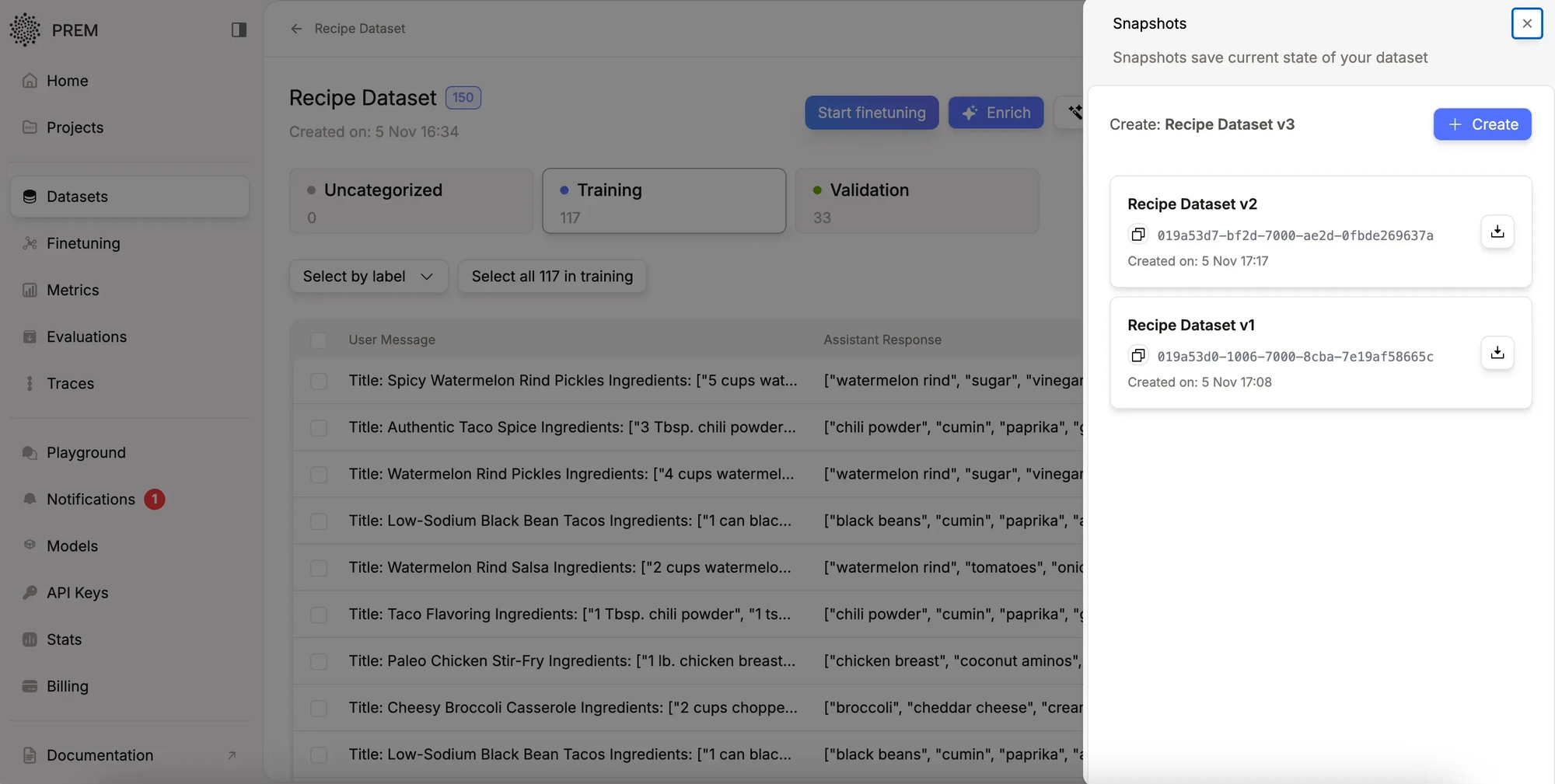
Process:
- Create a live dataset and add training data (minimum 10 examples)
- Take a snapshot to freeze that version
- Continue editing the live dataset while snapshots remain unchanged
- Use snapshots when training models to ensure reproducibility
This approach mirrors familiar version control systems, bringing the same benefits to dataset management that development teams expect from code repositories.
Implementation Considerations
With proper datasets as foundation, organizations can build production AI systems tailored to specific business requirements. Prem Studio streamlines custom dataset creation and scaling, whether starting from zero or enriching existing data.
The next phase involves transforming these datasets into specialized, fine-tuned models that deliver measurable business impact.
Start building with Prem Studio.
Learn more about dataset capabilities.
Frequently Asked Questions
- What if no existing data is available?
Prem Studio generates synthetic datasets from proprietary documents, including PDFs, videos, and web content. - How does the platform scale small datasets?
Data augmentation automatically expands existing samples with high-quality variants while preserving style and structure. - What file formats are supported for dataset creation?
Supported formats include PDF, DOC, DOCX, TXT, HTML, and PPT files, with a maximum file size of 50MB and up to 100 files per upload. - What is the minimum datapoint requirement for augmentation?
At least 20 uncategorized datapoints in the existing dataset are required to use data augmentation. - What is dataset versioning and what are its benefits?
Dataset versioning creates immutable snapshots at key moments, enabling result reproduction, safe experimentation, and tracking of data changes' impact on model performance. - What level of technical expertise is required?
Prem Studio automates parsing, generation, and formatting, making it accessible for enterprise teams without specialized technical expertise.
Early Access
Prem Studio is now available for early access. Organizations focused on building reliable, production-grade AI systems can apply for access and begin development.
Sign up for early access